How to quickly package macOS apps for distribution outside the App Store

Preparing a macOS app for distribution through the App Store is fairly easy using Xcode, but to do so for apps that you plan to distribute as a binary by other means — as a download from your own website, for example — isn’t straightforward, and it has got more complicated over recent macOS releases.

macOS app package icon
Continue reading

Using the Z shell on the Mac and Pi

When Apple released MacOS Catalina, it decided to switch the default command line shell from the Bourne Again Shell, aka bash, to the Z Shell, aka zsh. One reason for this was that Apple installs a rather old version of bash, 3.3.57, to allow it to include the software under a licence it’s happy with. This isn’t a problem that affects zsh, so Apple can bundle a much more recent release.

That was no problem for me, either, because I long ago used Homebrew to install an up-to-date version of bash, 5.0.17, and have been happily using in preference to the Apple one. To do so yourself, run brew install bash and then go to System Preferences > Users & Groups. Unlock if you need to then right-click on your name in the left-hand column and select Advanced Options…. Now highlight the Login shell: field and set the path to your preferred shell, in this case /usr/local/bin/bash. Afterwards, you can enter echo $SHELL to confirm the change.

Continue reading

Want 50 great fonts for your iPad? Get my new free app

iPadOS 13 (iOS 13 with knobs, basically) introduced user-installable fonts — or typefaces as we used to call them in the trade, especially in pre-digital times. Apple already bundles a host of fonts with iPadOS, but the addition of user-installable fonts ought to allow much greater scope for tablet-based typographical creativity.

59ADC6A2-3B06-43AD-87B2-F3343FAAA2AC
User installed fonts in iPadOS 13
Continue reading

Easy Ethernet access for a headless Raspberry Pi

This neat trick is implemented on the Raspberry Pi-based Twilio Developer Kit for Broadband IoT, with which I’ve been working a lot of late (as a Twilio staffer). It lets you connect a headless Pi to your main machine via Ethernet just be plugging in a cable. It also maintains the Pi’s own wireless connection to the Internet.

Continue reading

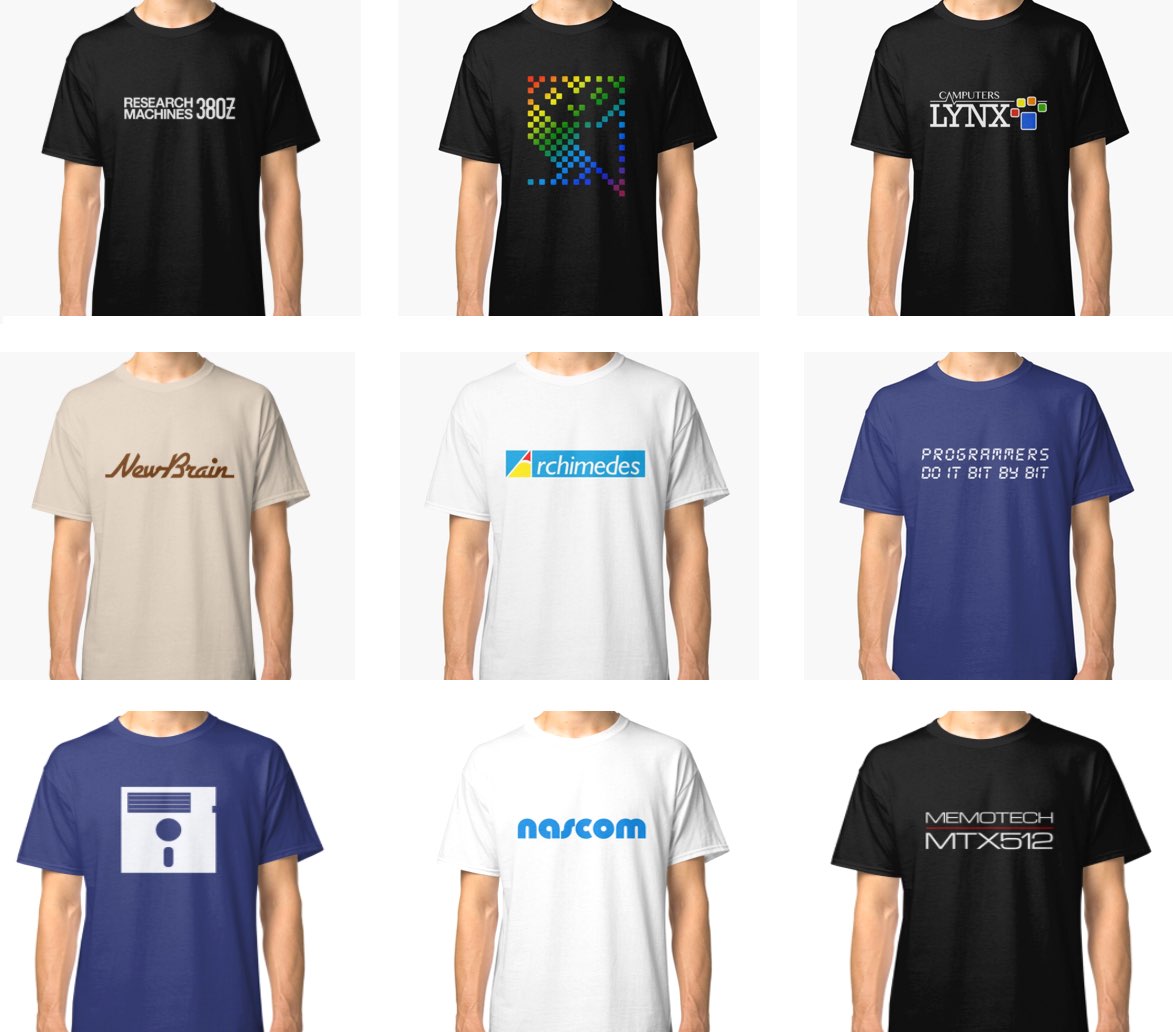
smittytone’s Retro Tech T-shirts are available now

Announcing the results of a small side-project I’ve been working on for a couple of months: my retro tech T-shirt shop is now open.

If you have an interest in the early years of microcomputing, head over to my Red Bubble store and check out the available apparel. Here’s a small selection:

ss

Continue reading

Adjust Apple AirPod Audio

I discovered this today and decided to share it. Ever find yourself listening to an album that’s coming across slightly stronger in one ear than the other? Here’s how you can fix it if you’re listening to Apple AirPods — and possibly other wireless cans connected to an iPhone or iPad.

Continue reading

Want to bake an Apple Pi? Here’s how you can, for a fiver

Bear with me on this one. What really makes the Raspberry Pi what it is? Linux? No, because there are plenty of machines the open source OS will run on. Linux is a Unix derivative; the basis of macOS is FreeBSD, also a Unix derivative.

Sure the Pi is only 40 quid and small, but for me what really makes the Pi stand out from all those laptop and desktop computers is the fact that it makes its microcontroller’s GPIO pins readily accessible through a handy set of header pins. Unlike all ‘serious’ micros, it’s perfect for connecting to and controlling a whole stack of add-ons, including sensors, displays inputs and actuators.

IMG_0230

Continue reading

Mac NeoPixel notification light 2.0

I wrote Make a Mac ‘Task Done’ NeoPixel notification light just over four years ago. Not long after the post was penned, macOS’ security provisions became tighter and so the unsigned third-party kernel extensions used to drive the NeoPixel were no longer available.

That was that. I marked the post as ‘no longer working’ and put the project aside.

IMG_0224

Continue reading

How to view a Raspberry Pi desktop on an iPad

My exploration of using a mouse with an iPad got me thinking: since I log into my Raspberry Pi remotely using SSH and the app Termius, could I also run a remote desktop session on my iPad too?

C396B450-7ED8-4793-ABE8-143C66CACD76

Continue reading