Want to bake an Apple Pi? Here’s how you can, for a fiver

Bear with me on this one. What really makes the Raspberry Pi what it is? Linux? No, because there are plenty of machines the open source OS will run on. Linux is a Unix derivative; the basis of macOS is FreeBSD, also a Unix derivative.

Sure the Pi is only 40 quid and small, but for me what really makes the Pi stand out from all those laptop and desktop computers is the fact that it makes its microcontroller’s GPIO pins readily accessible through a handy set of header pins. Unlike all ‘serious’ micros, it’s perfect for connecting to and controlling a whole stack of add-ons, including sensors, displays inputs and actuators.

IMG_0230

Continue reading →

Mac NeoPixel notification light 2.0

I wrote Make a Mac ‘Task Done’ NeoPixel notification light just over four years ago. Not long after the post was penned, macOS’ security provisions became tighter and so the unsigned third-party kernel extensions used to drive the NeoPixel were no longer available.

That was that. I marked the post as ‘no longer working’ and put the project aside.

IMG_0224

Continue reading →

How to view a Raspberry Pi desktop on an iPad

My exploration of using a mouse with an iPad got me thinking: since I log into my Raspberry Pi remotely using SSH and the app Termius, could I also run a remote desktop session on my iPad too?

C396B450-7ED8-4793-ABE8-143C66CACD76

Continue reading →

How to use a mouse with an iPad

You don’t need a mouse when you’re using an iPad, right? That’s Apple’s view, but it’s not mine. If you use an iPad as a small, very portable laptop — maybe you have the iPad’s Smart Keyboard add-on — then you don’t necessarily want to be moving your hand up to the screen every time you want to point and click.

0A8EE407-2BC0-4846-95C9-15121750722B

Continue reading →

Raspberry Pi Knowledgebase added

I’ve created a page containing simple sets of instructions for some key — and not so widely used — Raspberry Pi setup tasks. The goal is to have a single source that I (and anyone else) can check when they need to look up what they should do to perform a specific action: setting up Node.js, for example, or using Dropbox.

You can find the Knowledgebase here.

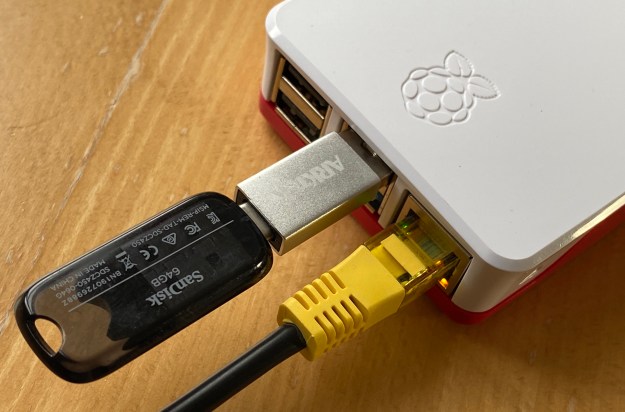
Run a Raspberry Pi 4 from a USB 3.0 drive

The Raspberry Pi is notoriously tough on micro SD cards, which were never intended to be used as primary computer storage.

The Pi 4’s USB 3.0 bus presents a high-speed alternative to the SD card… almost. Unfortunately, you can’t yet boot the Pi 4 off a USB 3.0-connected drive (as you could with the Pi 3) but you can at least use USB for your primary storage and retain the Pi’s micro SD card solely for boot duties. This minimizes the risk to this fragile medium.

521B5F58-51FA-4661-BD65-6BE1195E4177

Continue reading →

How To Flag Recent Content in Hugo

In the previous post, I showed how Hugo, a static website generator, can be used to build pages from structured data. This time I’m going to show how it can be used to use date information to flag recent site updates.

Continue reading →

Build Web Pages from JSON Data with Hugo

In this second look at building a website using Hugo, a static site generator, I’m going to explore how to assemble pages from structured data rather than written content.

One use-case for this is a release notes page in a site devoted to a software applications. Case in point: I wrote an app called Squinter which is a macOS tool for developing apps on the Electric Imp Platform. In addition to a page describing the software, I have a separate page which present the app’s release notes. Each note is prefixed with a lozenge indicating whether the note refers to a new feature, an enhancement to an existing feature, or is a bug fix.

Continue reading →

Use Hugo to Automate your Website

After basing my software-oriented website on a hand-assembled set of pages, I recently decided it was time to introduce some automation. Suddenly there were too many pages that needed to be updated every time I released a new version of one of my apps. Additionally, I was writing more apps and utilities, so this process could only ever become more onerous if I continued with a manual set-up.

Continue reading →