Tag Archives: Pi

udev, I dev: unique identifiers and aliases for USB serial ports on Linux and macOS

An interesting comment on my previous post suggests using udev rules to give connected USB-to-serial adaptors their own, unique names. It works by setting udev rules to apply a symbolic link to specific devices when they are connected.

The approach, outlined in this blog post, works at the command line. This got me thinking: can I do the same in code?

Continue reading
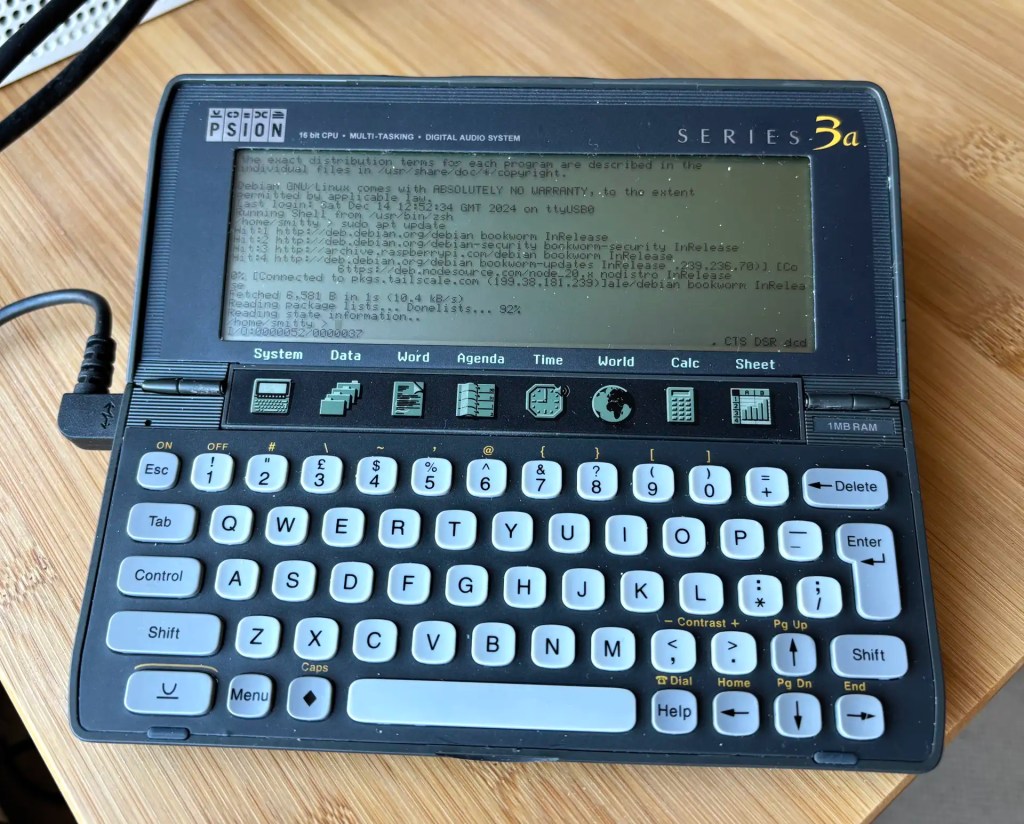
How to get a 1990s palmtop communicating 2024-style: connect a Psion 3a to the Interweb

Recap I have acquired a UK-made Psion Series 3a palmtop. I’ve connected it to my Mac. I’ve connected it to my headless Pi server over serial. My next goal: connect the 3a to the Internet.

I never had any great expectations for getting the 3a online. To summarise the problem: the 3a shipped without integrated Internet support. And while it later received it, via the PsiMail email package, Internet access was predicated on a dial-up connection using a modem and an analogue phone line. It is possible to bridge this ancient approach to the modern world of always on broadband and WiFi, but yes, it’s a bit of PIA. Anyway, this is what you do.

Continue reading

How to access and control a Raspberry Pi with a Psion Series 3a

Recap I have acquired a UK-made Psion Series 3a palmtop. I’ve connected it to my Mac. My next goal is to connect the 3a to the Internet for email. But first… yes, I got distracted: having connected the 3a to a Mac, what about a Raspberry Pi? Could I do more with it than transfer files?

Darn right, I can. I can use it to control my headless server.

Continue reading

How to clone your Raspberry Pi card to an SSD… and add a home partition While you’re about it

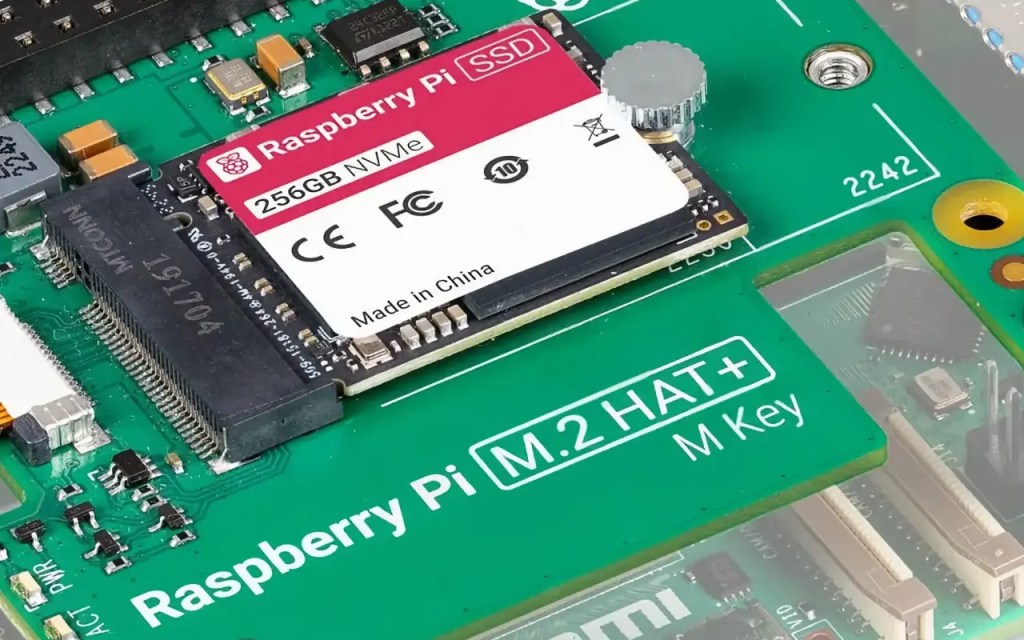
I decided to upgrade my Raspberry Pi 4 homelab server to the Raspberry Pi 5. I took the opportunity to upgrade the storage from a 64GB USB drive to Raspberry PI’s M.2 PCIe Hat and a 256GB SSD. This begged a question: how to replicate the three partitions on the USB drive — boot, root and home — on the SSD, especially with larger partition sizes? Here’s what I did.

Raspberry Pi 256GB SSD
A 256GB SSD. Image © Raspberry Pi Ltd
Continue reading

Play Hunt the Wumpus, Raspberry Pi Pico style

Here’s something a little different: a basic C project that you can follow to build a fun handheld game with a Raspberry Pi Pico. Your mission: to enter a dark cave, and then locate and destroy the monstrous Wumpus.

Locate and eliminate the monstrous Wumpus to win fabulous prizes… well, a trophy graphic…
Continue reading

How to upgrade to the new Nano 5.0 on Mac and Pi

The Nano command line text editor has reached a new milestone: version 5.0.

There are the usual array of bug fixes and tweaks, but what caught my eye among the release notes was the introduction of a scroll indicator. This tells you where you are within a long file and is particularly good for mouse users so you can see where you’ve got to as you mouse-wheel through a document.

Nano 5.0 features a new scroll indicator on the right
Continue reading

Easy Ethernet access for a headless Raspberry Pi

This neat trick is implemented on the Raspberry Pi-based Twilio Developer Kit for Broadband IoT, with which I’ve been working a lot of late (as a Twilio staffer). It lets you connect a headless Pi to your main machine via Ethernet just be plugging in a cable. It also maintains the Pi’s own wireless connection to the Internet.

Continue reading

How to view a Raspberry Pi desktop on an iPad

My exploration of using a mouse with an iPad got me thinking: since I log into my Raspberry Pi remotely using SSH and the app Termius, could I also run a remote desktop session on my iPad too?

C396B450-7ED8-4793-ABE8-143C66CACD76

Continue reading

Raspberry Pi Knowledgebase added

I’ve created a page containing simple sets of instructions for some key — and not so widely used — Raspberry Pi setup tasks. The goal is to have a single source that I (and anyone else) can check when they need to look up what they should do to perform a specific action: setting up Node.js, for example, or using Dropbox.

You can find the Knowledgebase here.