Tag Archives: Mac

How to bring Amstrad NC100 screenshots to modern graphics apps

While browsing some scans of old, out-of-print books about the Amstrad NC100, I discovered that it has a built-in screenshot facility. I knew my various Psion devices could do this, but not the NC100.

NC100 screenshot BBC Basic

The trick — press ControlShiftS — was mentioned in Robin Nixon’s The Amstrad Advanced User Guide, published in 1993 by Sigma Press. The book contained BBC Basic and C utilities for converting the raw bitmap data generated by the keypress.
I immediately keyed in the C code to try it out. It did the job.

Typing in a listing! What an old-school feeling!

Continue reading
How to find the right Pi Pico board or retro tech connected to your Mac or Raspberry Pi

Recent work connecting old mobile devices — the Psion Series 3a and the Amstrad NC100 — to my Mac caused me to run into an issue with the script I use to determine the Unix device path of the USB-to-serial adaptor I use to talk to these gadgets. Long story short: I ended up converting a Z Shell function into a Swift CLI tool — and adding Linux support into the bargain.

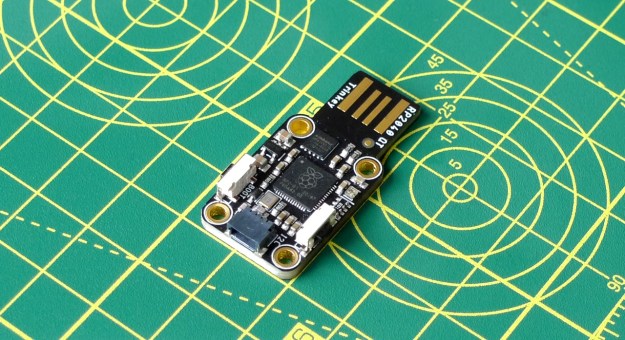
Adafruit’s RP2040 board connects to the host via an integrated USB-to-serial adaptor (Image © 2021, Tony Smith)
Adafruit’s RP2040 board connects to the host via an integrated USB-to-serial adaptor
Continue reading

How to get a 1990s palmtop communicating 2024-style: connect a Psion 3a to the Interweb

Recap I have acquired a UK-made Psion Series 3a palmtop. I’ve connected it to my Mac. I’ve connected it to my headless Pi server over serial. My next goal: connect the 3a to the Internet.

I never had any great expectations for getting the 3a online. To summarise the problem: the 3a shipped without integrated Internet support. And while it later received it, via the PsiMail email package, Internet access was predicated on a dial-up connection using a modem and an analogue phone line. It is possible to bridge this ancient approach to the modern world of always on broadband and WiFi, but yes, it’s a bit of PIA. Anyway, this is what you do.

Continue reading

How to intercept STDOUT and STDERR output in Swift CLI code

My open source images-to-PDF utility, pdfmaker, makes use of Apple’s PDFKit. While this partnership works as it should, just one aspect bothered me: PDFKit warnings and errors don’t bubble up to the calling code, but are piped via STDERR. The upshot: anyone running pdfmaker may see messages that it hasn’t issued. pdfmaker is a CLI tool, but I can’t just redirect the output to /dev/null — you’d lose everything, not just PDFKit’s grumbles. Instead I had to figure out how to sink PDFKit’s output even though it wasn’t coming via pdfmaker. Here’s how I did the pipework.

Steel pope (c) 2024, Tony Smith. All rights reserved.
Continue reading

Xcode 15.3 zaps Swift packages: here’s how you fix it

I have cd "${PROJECT_DIR}" ; agvtool bump set as a script in a number of my macOS projects’ Xcode schemas’ Build phases. The second of the two commands auto-increments the project build number on completion of the build. It continues to do so, but with Xcode 15.3* there’s a side-effect: it deletes the project’s Swift packages.

Xcode and Swift icons
Icons owned by Apple
Continue reading

Tailscale: a VPN for the rest of us? You bet!

A one-time colleague of mine recently put me onto Tailscale, a rather nifty product that allows you to wrangle all of your computers, phones and more into a single, secure and Internet-spanning virtual private network (VPN). I decided to give it a try and I’m very impressed with its performance and ease-of-use — the latter very important for someone like me who’s not a network guru.

Tailscale: VPN for the rest of us?
Continue reading

How to talk to I2C sensors, displays from… Linux

T’other week, I wrote about my work on building a Raspberry Pi RP2040-based I²C host device and some macOS client software to control it. I mentioned that I might get the latter running under Linux too. I now have, and it does.

The matrix display client and the CPU activity display example running on a Raspberry Pi 400
Continue reading

Now available: PreviewMarkdown 1.3.0 with YAML support

Version 1.3.0 of PreviewMarkdown has just been released. Its key new feature: you now have the option to view YAML front matter in Markdown file previews. This is really handy if, like me, you use a static site generator and use YAML to record content metadata at the top of your Markdown page files.

With PreviewMarkdown 1.3.0, you can now preview files’ YAML content too
Continue reading

How to migrate to native Homebrew on an M1 Mac

Let the great Homebrew migration begin. Yes, Homebrew now has native support for Apple’s ARM64-based M1 chip. The latest version, 3.0.0, released 5 February, will run nicely on your Apple Silicon Mac. There’s a catch, of course. Well, several catches: first, not all of the tools you can install using Homebrew are M1 native yet and, second, Homebrew doesn’t offer explicit migration instructions, that I could find at least.

Apple Silicon Mac, now with native Homebrew support
Continue reading

How to debug a Raspberry Pi Pico with a Mac, SWD and… another Pico

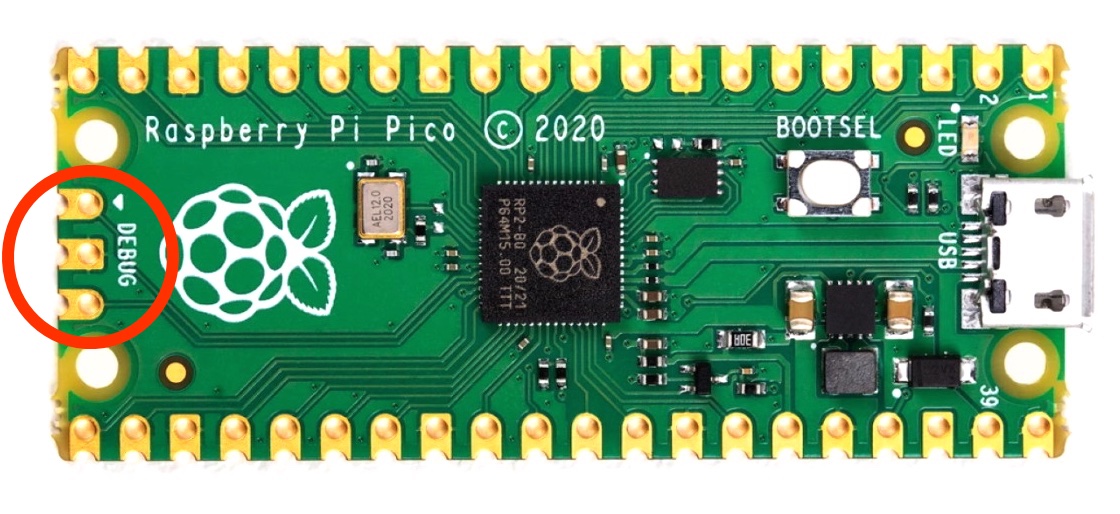
When you’ve used Serial Wire Debug (SWD) to help you correct the C or C++ code running on your Raspberry Pi Pico, you’ll never want to go back to USB and the UF2 file system again. I don’t — no more messing about unplugging and re-plugging cables for me.

The Raspberry Pi Pico
The Raspberry Pi Pico is ready for Serial Wire Debugging
Continue reading