Apple Silicon survival notes — day one with an ARM Mac

You have to take your hat off to Apple: it knows how to transition from one processor architecture to another, completely incompatible one. It did it in the mid-1990s with the switch from the Motorola 680×0 series to PowerPC, then again a decade or so later when it put Intel inside new Macs. Now we get ARM.

Apple Silicon ARM-based MacBook Pro
ARM-our plated
Continue reading →

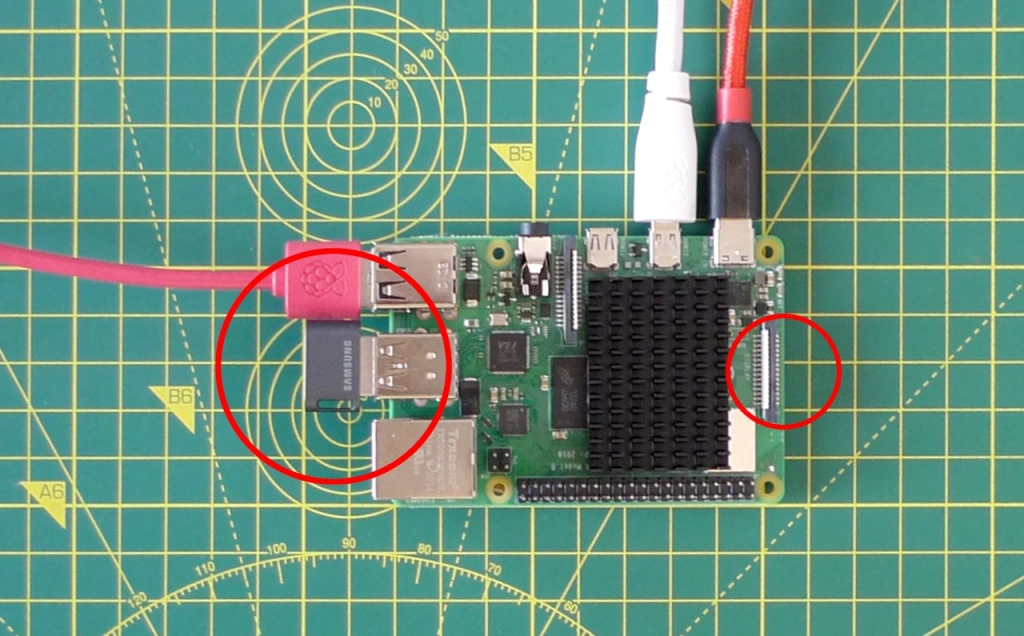
Look, ma, no SD! Boot a Raspberry Pi from USB only

The Raspberry Pi 4 is now capable of booting from a USB Flash drive without requiring an SD card to kick-start the process. Here’s how you set it up.

USB disk, yes (left) — SD card, no (right)
Continue reading →

A cure for Raspberry Pi ‘Slow USB Mouse Syndrome’

I don’t quite know how I missed this, but I’m guessing plenty of Pi users might have missed it too so here it is. If you’re tired of the Raspbian desktop’s too, too laggy mouse performance, there’s a very easy cure. Poor mouse responsivity was the only thing preventing me from using the Raspbian desktop on a regular basis. Here’s how to fix it.

Continue reading →

Released: revamped and expanded Python drivers for your micro projects

I have revised my Python drivers for the Holtek HT16K33 display controller, combining Micropython and Circuitpython versions into one and adding support for Adafruit’s Bi-colour 8×8 Matrix in the process.

Display useful information on a matrix LED
Continue reading →

Get to grips with Hugo templates

The Hugo static website generator is an incredibly flexible site builder, but this very flexibility means that the way it matches page templates to page content can seem unclear. I’ve been using Hugo for some time now and I only ‘got it’ just recently. What follows is essentially a summary for my future reference, but hopefully it’ll help other Hugo users too.

Built with Hugo’s template scheme
Continue reading →

Tap Homebrew to easily install and upgrade your own apps

The package manager I use on macOS is Homebrew, Brew for short. This is a great open source tool for installing command-line apps and utilities, and keeping them up to date. It’s essentially the Mac version of the Raspberry Pi’s apt. So much of the software I use on a regular basis — the nano text editor, Node.js, Python 3, the shellcheck shell script linter, the hugo website builder, the sass CSS wrangler and a whole load more — were added and are maintained using Brew.

Provide your own apps through Homebrew
Continue reading →

The Serpente R2: a compact CircuitPython controller

Updated The Serpente R2 from Solder Party is yet another addition to the now long roster of compact Atmel microcontroller-based breakout boards aimed at the maker community.

A compact breakout board for compact projects
Continue reading →

PreviewMarkdown 1.1.0 released, ready for Big Sur

Another day, another update. This time it’s PreviewMarkdown, my macOS utility for providing QuickLook file previews and icon thumbnails in Finder. It runs under Catalina and above, and this version makes some adjustments to support Big Sur.

Pop up a Markdown file preview

You can read more about using PreviewMarkdown — just run it once to register its app extensions, and that’s it — it the product page here. You can download PreviewMarkdown from the Mac App Store.

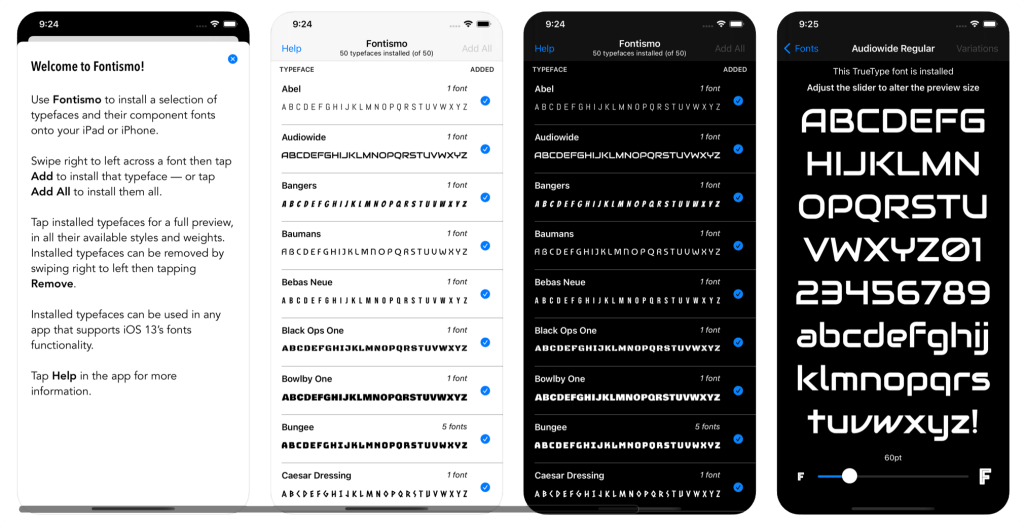
Fontismo 1.1.0 released — now with iPhone support

Fontismo, my iOS-based utility which provides completely free and account-less access to 50 great open licence typefaces, now works on iPhones as well as iPads. It’s also fully compatible with iOS 14 and features improved font previewing, including pinch-to-zoom scaling.

Fontismo on iPhone
Continue reading →

MNU 1.4.0 released — and it’s ready for Big Sur, Apple Silicon

The latest version of MNU, 1.4.0, can be downloaded from my software site. The focus of this update is to support the changes brought in by Big Sur’s updated, iOS-esque UI: in this case, no more roll-down sheets, and iOS-style dialogs and square icons.

MNU under Big Sur
Big Sur: more space, Sur-ely?
Continue reading →