
I started work on my CLI tool word2text late in December 2024 after buying my first Psion Series 3a palmtop. I wrote it because I needed a means to convert Psion Word 3 word processor files into a form I could continue to work with on my Mac.
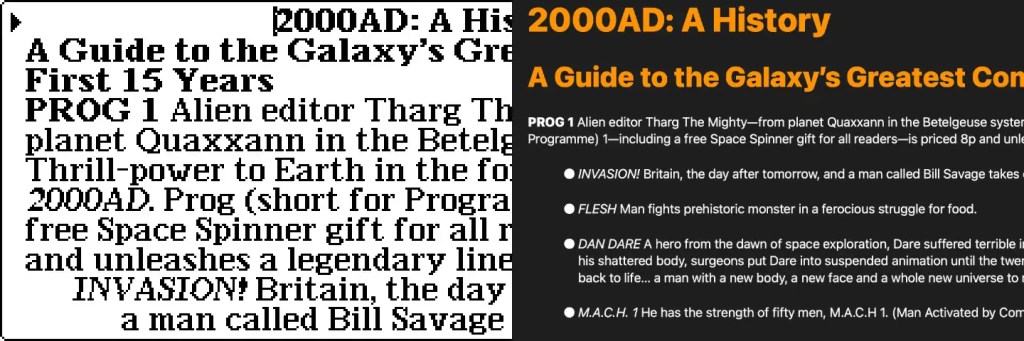
Now, there was a DOS utility wrd2txt kicking around, and I could have just run that after transferring files across using the DOS-based connectivity tools that Psion provided back in the day. That’s OK, but I wanted a native experience, and being a Swift programmer I was determined to have one. So I did some searching, found reverse-engineered Word 3 binary file format data online, and set to work. It didn’t take long, and version 0.1.0, which converted Word 3 files to plain text and nothing else, did the job for me.
I call it Word 3, but Psion’s word processor was never explicitly versioned on the device. But it’s ‘3’ because it was on the Series 3.
Projects always balloon, though. Engineers are not wrong about ‘feature creep’. Having got word2text converting Word to, yes, text. I updated it to optionally output Markdown files—just include the -m flag. That also did the job, and was perfect for writing, say, blog posts on the 3a then bringing them over to the Mac, and converting them to Markdown for final editing and feeding into my content management system.
I also made the core parts of the code compilable as a Swift library so third-parties can integrate Word 3 file conversion too. One such is Jason Morley’s macOS app Reconnect, which is the best GUI alternative to Psion’s aged connectivity tools.
And then I broke my 3a. I knocked it off my kitchen table and borked the touch panel so it wouldn’t open and close properly. It didn’t become non-functional, but the damage essentially rendered it useless as a mobile writing tool, and so I switched to my Series 5mx. A lot of Psion fans prefer this device for its superior keyboard, but I’ve always preferred the 3a for writing. Well, no chance of that now, I thought, so the 3a went into my parts box and off I marched with the 5mx.
There’s an existing Word 5 to text converter for macOS and Linux called psiconv, so I began using that in place of word2text, and my CLI tool development project went fallow.
Three or four months ago, however, I finally came across a working, undamaged and cheap 3a of the requisite memory capacity (1MB) on eBay, and snapped it up. I stated using it, and so word2text was once more in demand. I dusted my code off, did some tidying, updated it a bit and fixed a few of the bugs on my to-do list.
And then the features began to creep. First, I wondered if I could reverse the conversion process: take a Mac or Linux text file and have word2text spit out a Word 3 binary file ready for transfer to a device. That seemed straightforward, and following it up with the logical next step, Markdown to Word 3 conversion, turned out to be only slightly more complicated to achieve.
As I noted in a previous post, the trickiest problem to solve was figuring out Word 3’s printer-centricity, in particular how which font you see on the screen is governed by which printer driver you’ve selected—even though, this no longer being an era of printed documents, you probably didn’t select one. More straightforward was devising a set of Word 3 paragraph ‘Styles’ and character ‘Emphases’ (Psion speak for bold, italic etc.) to define and embed in each newly created Word 3 file and map them to the ranges of text to which each applies.
In a Word 3 file, then, there are pre-defined Styles and Emphases, and custom ones, and they are all recorded in the file, each as a discrete record. The text itself is stored unadorned in a record of its own. A final record is the map: the sequence of Styles and Emphases that need to be applied to the raw text when it’s rendered on screen. Every Style and Emphasis has a two-character ID code—HA, HB, BT and BL, respectively for Heading 1, Heading 2, Body Text and Bullet Item; and BB and II for Bold and Italic, for example. An Style or Emphasis’ code is how it’s referenced in the formatting map.
Tip Add the -v flag when you convert a Word 3 file to activate verbose mode and get a run-down of all the Styles and Emphases the document contains, and see how they’re mapped onto the raw text.
HA and HB are standard, pre-defined Word 3 Styles, so word2text defines HC through HF to provide Psion equivalents of Markdown heading levels 1 through 6, as marked with the standard #, ##, ###, ####, etc. ‘ATX’ markup.
Word 3 has a pre-defined style for bullet-list items, but no way of indicated numbered lists. And even bullet lists are really just indented paragraphs—there is no actual bullet point displayed. So I had to figure out a way to embed bullet symbols from the Psion’s IBM Code Page 850 character set and numbers into the Word 3 text, and conversely look for them again when converting the Word file back to Markdown’s * and 1. list-item markup.
I have to say, I had some help here from Claude. Not for the coding, but to check my working, for which it has proved a very efficient tester and bug spotter, identifying issues I’d missed and error scenarios I hadn’t even thought of. It is handy too as an adhesive solvent when you’re really stuck on something. I enjoy programming too much to hand it all over to our AI overlords, but I’m not too proud to dismiss its potential to lend a hand when being stumped on one issue is keeping me from addressing others.
Anyway, this brings word2text essentially up to date. It’s now at version 0.4.2—0.4.0 adding the two-way conversion facility, and the two patch releases fixing a couple of bugs. But 0.5.0, which I’ve nearly got done, is a major step forward.
Having completed 0.4.0, I began noodling with adding Word 5 support so not only would word2text be able to convert Word 5 to Markdown and back, but allow me to convert the result to Word 3, or just go straight to 3, do not pass Go, do not collect £200, but do get a mechanism for document interchange that spans three platforms and allows me to work on a file on any one of them and then take it to another and work on it there.
This is a big step forward, but it won’t happen in 0.5.0. No, this upcoming release re-architects the utility to pave the way for Word 5 support. Earlier versions of word2text use a direct conversion methodology: Word 3, say, is decoded straight to Markdown, and vice verse. Not so 0.5.0. It takes an indirect approach: the source file, whatever it is, is converted first to a generic, internal format, and from there it is converted to the desired output file. This means that to support future formats, all I have to do is write a suitable decoder and encoder.
It may be the stuff of a madman’s dreams, I don’t know, but I have a crazy vision of adding .docx support so Microsoft Word and LibreOffice users can move their Psion documents in and out of their preferred desktop word processor. I’m not among them, but .docx is now suitably well documented and standardised to be readable by the tools I do use.
As I say, word2text 0.5.0 doesn’t provide Word 5 support, much less .docx compatibility, only the architecture that makes support for these formats practicable. But 0.6.0 and its successors will hopefully to so, starting with Psion Word 5.
word2text is written in Swift and you can build it using Xcode or the CLI Swift compiler on macOS, or on Linux using just the compiler. It’s pure Swift with no dependencies other than my CLI tool library Clicore (itself pure Swift) so it ought to be compilable on Windows, but I haven’t tried it. If you have a go, let me know how it went. The Swift library version of word2text doesn’t even require Clicore.

