
One of the most interesting aspects of mucking about with old IT is the insight it gives into earlier developers’ thinking and motivations. Case in point: how paragraph styling works in Psion Word 3, which shipped with the Series 3 palmtops.
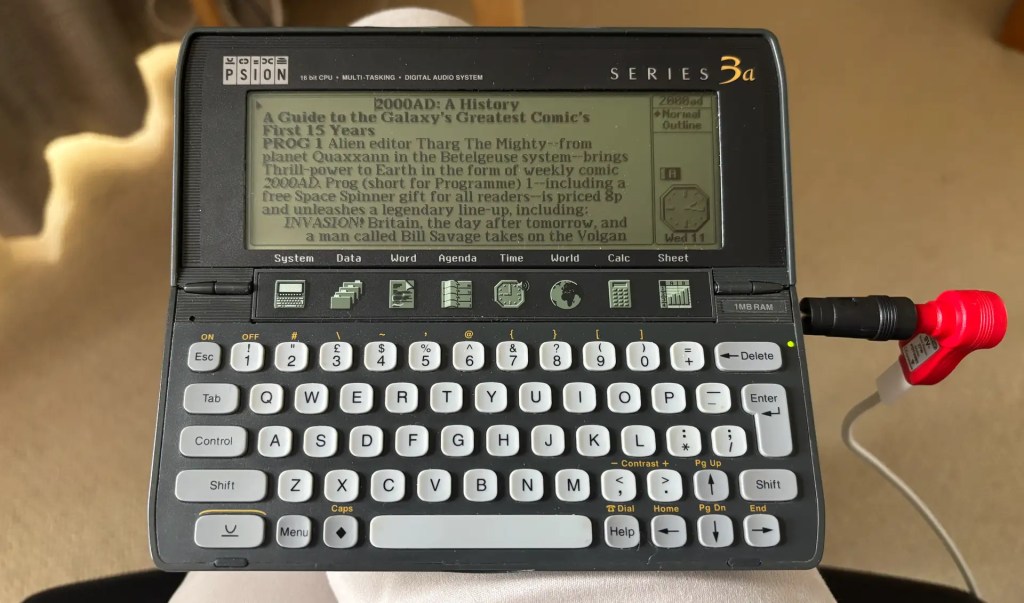
As a Mac user since 1989, I’ve long been accustomed to be able use any of many fonts installed on my machines, even in those early days. I forget that textual output was much more limited for DOS and even Windows 3 users. Yet these are the folk Psion designed Word for, even though it also supported Series 3 usage with a Mac.
You might think the developer of a handheld computer’s word processor would code in a handful of fonts and allow you, as the user, to choose the ones you wanted in your document. Now we’d do exactly that, and probably not concern ourselves overly with how the document might look when printed.
Not so Psion developers in the 1990s. No, Word on the Series 3 is defined precisely by which printer you expect to output your documents with. Your choice governs what fonts you can use–possibly only one!
I uncovered this while updating word2text, a CLI app for converting Psion Word files to plain text or Markdown. I decided it was time I added conversion back to Word so I could work on documents back and forth across platforms. Like the draft of this post, for instance. So I worked on that, and sent my first converted .wrd file across over serial.
Accustomed to using Word’s serif font Proportional, I was surprised to be greeted instead with a sans serif monospaced alternative. But I had specified the right font in each of the paragraph style records—what had gone wrong?
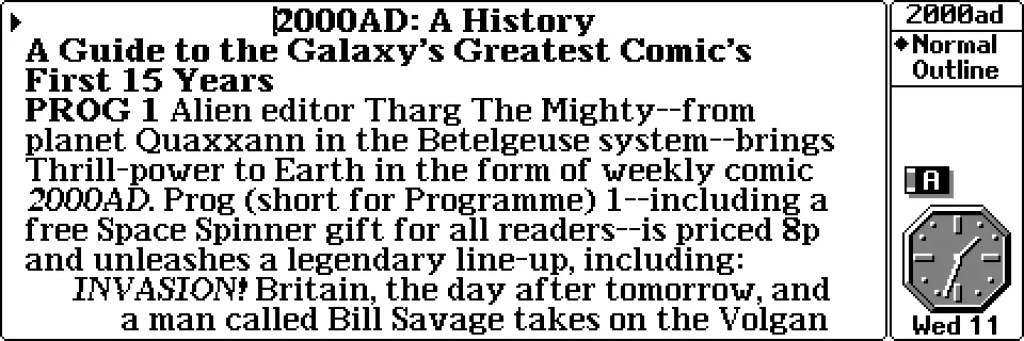
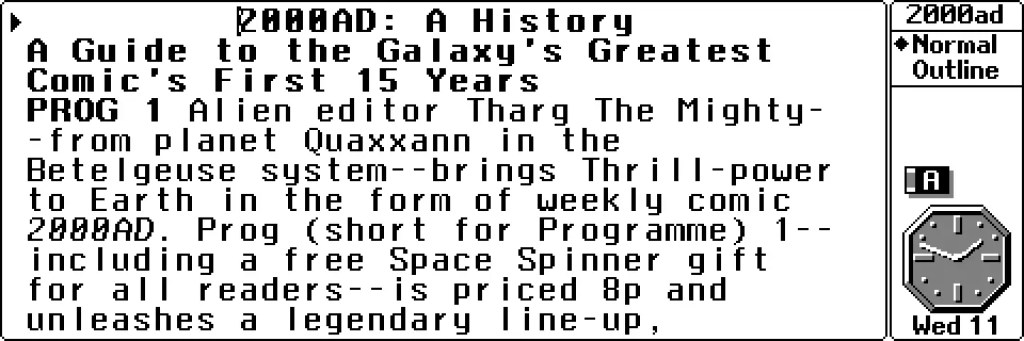
TL;DR, the sample .wrd file I was using as a source for a bunch of the other information in a Word file had its printer driver set to a Hewlett-Packard device. And what I didn’t then know was that this overrides existing document font choices.
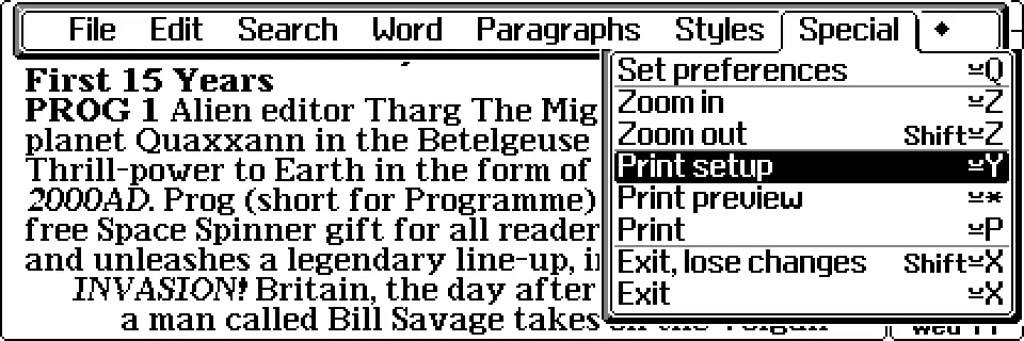
You can see this yourself if you have a Series 3 machine or a good emulator of one. In any Word document, press Menu and select Print setup from the Special menu. Scroll down to Printer model…, hit Tab and mess around with the 16 choices of printer. Each has its own driver in the Series 3 ROM.
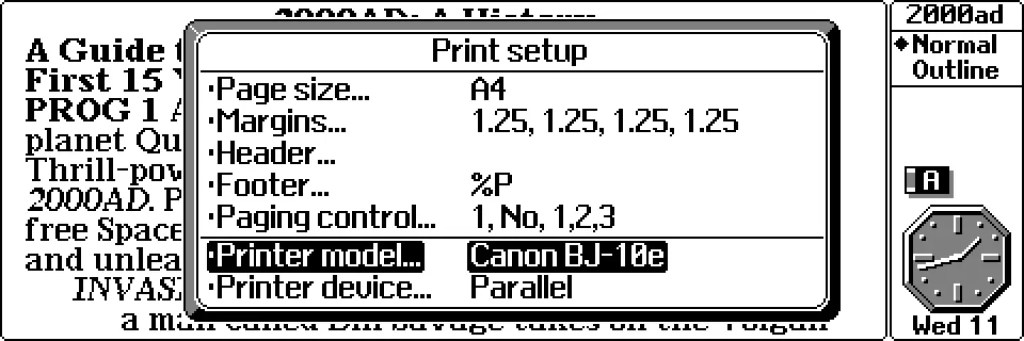
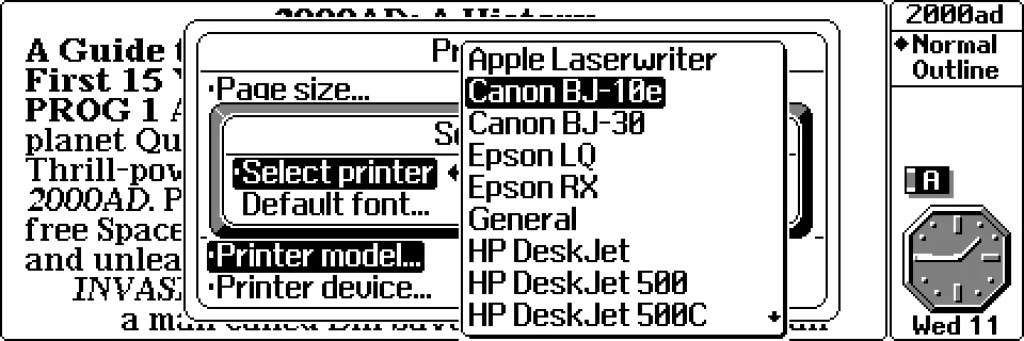
Now this limitation makes sense when you think about it. In the early 90s, we didn’t much email documents and we certainly couldn’t create and share them on the Web. No, we wrote them and then printed them out for filing or posting. So Psion would want, say, Epson LQ users to be able to write in a form that would allow then to see how their work would appear when it spooled out of the top of that printer.
WYSIWYP—What You See Is What You’ll Print.
Word even provides a print preview so you get a thumbnail picture of how each page of your magnum opus will look when impressed on crisp white 120gsm A4 or whatever.
Looking through the list of supported printers, I settled on Canon BJ-10e as my driver of choice, and that’s the one word2text references within the mandatory printer driver record in every .wrd file it outputs. The function that handles the conversion-to-Word process can take an alternative driver name if you prefer. This printer setup section is a mandatory part of every .wrd file, of course, because why wouldn’t you want to specify a printer driver when using a prepare-for-paper word processor?
Psion Word’s print-centricity established, I’ve been able to update the code so I have a means not only to draft articles on my 3a and convert them so I can edit them on my Mac, but I can now convert back so that I can punt the file to the handheld and work on them further when I’m out and about without my laptop.
And every time I do so I get the right font. Can’t see myself printing any of it out, mind…
The word2text source code can be viewed on GitHub. Read the usage details on my website.

