
A month or so back I gave in to temptation and snapped up a Psion Organiser II from eBay. I was able to find the LZ64 model, which was the last ‘slab’ Organiser Psion made before introducing the Series 3 clamshell design.
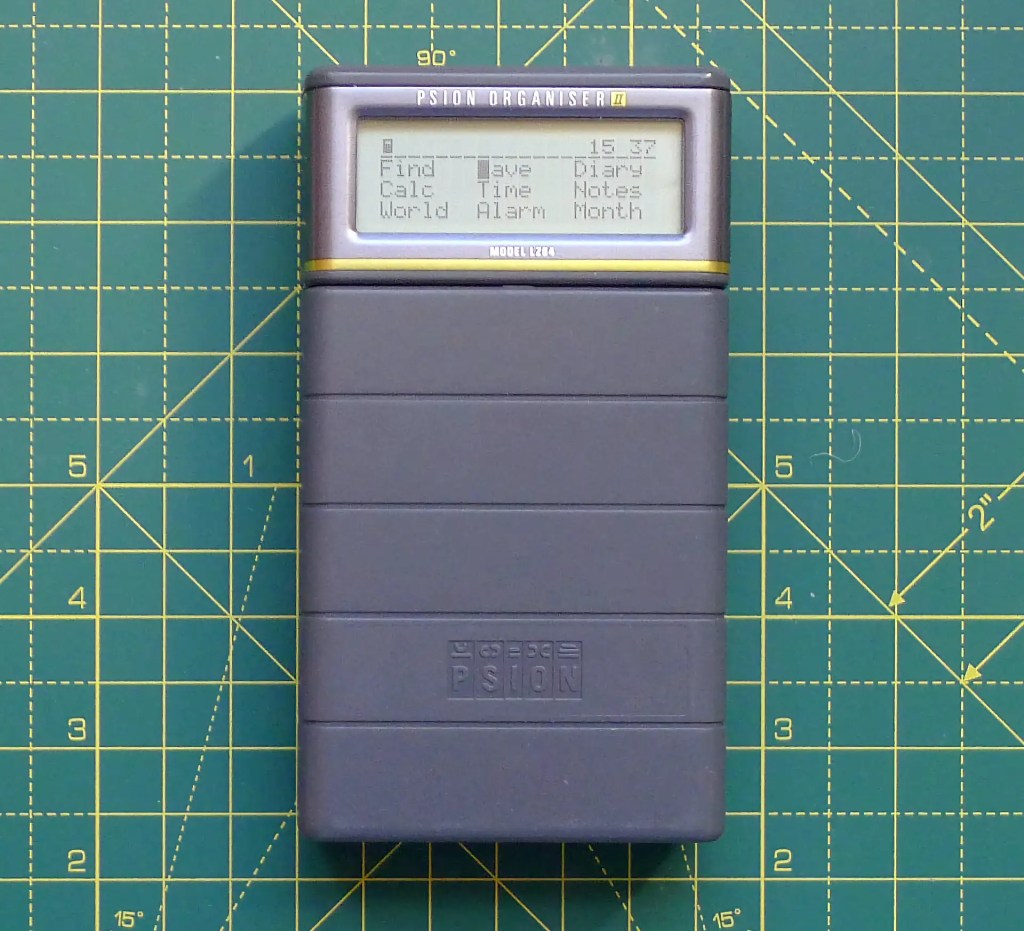
Here’s a potted history. Psion started out as a software company, producing games and productivity apps, primarily for Sinclair Research’s machines, most notably the office suite for the QL. In 1984, Psion introduced the Organiser, its first PDA. This was a chunky unit (by today’s standards) sporting a 16-character LCD and an alphabetically arranged 6×6 calculator-style keypad. It was powered by a 9V battery.
The Organiser arrived to tap into the booming personal organiser market then spearheaded by Filofax: a small folder of removable pages for diary, to-do lists, notes—all the things we do on our phones these days—and pitched at businesspeople with a penchant for strict, efficient time management. There were other electronic organisers, all from the usual Japanese calculator makers, but Psion’s organiser was the first British one.
An improved version, the Organiser II, followed in 1986. It took the display from one line to two, and the memory from 2KB to 8KB (the II CM model) and 16KB (the II XP). The XP was also made available with 32KB. Three years later, Psion introduced the II LZ and II LZ64 with 32KB and 64KB of RAM, respectively, and a bigger 20×4 character LCD.
Back in the day, flush on the income from my first job in tech publishing, I walked into Dixons and came out with a shiny new LZ. I loved it. It had for me a real Hitch-Hiker’s Guide to the Galaxy (the actual electronic book, not the radio show) vibe. Not that it had any of that information in it, and my time management needs in those days were negligible. It was a waste of a hundred quid, to be honest. Worse, I only had it for a short time before a spillage of tea rendered it DoA. No IP68 water resistance in those days…
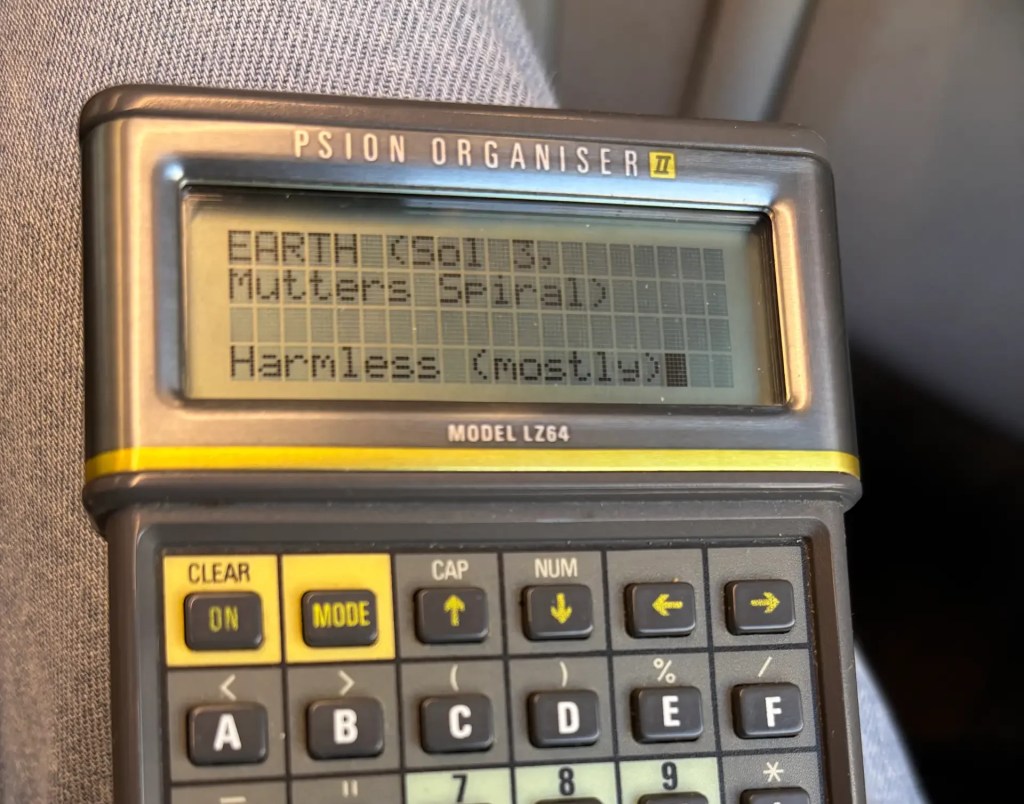
Hence my nostalgic eBay purchase, though now I can afford the top-end model.
Of course, using old tech like this in the era of the smartphone remains an exercise in masochism, but I decided to give this entirely offline machine a try nonetheless. Could it ever be more than a museum piece?
Broadly, yes. I’m using the notes function to record lists, loading each one I need to check or update and saving it back to RAM disk if I’ve made changes. Nothing is automatic, and selection relies on filenames, but these are easy to view by tapping the EXE key, the Organiser’s version of Enter.
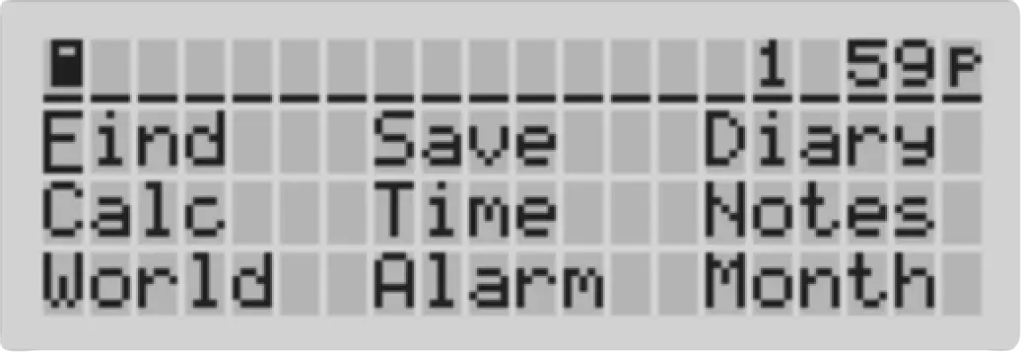
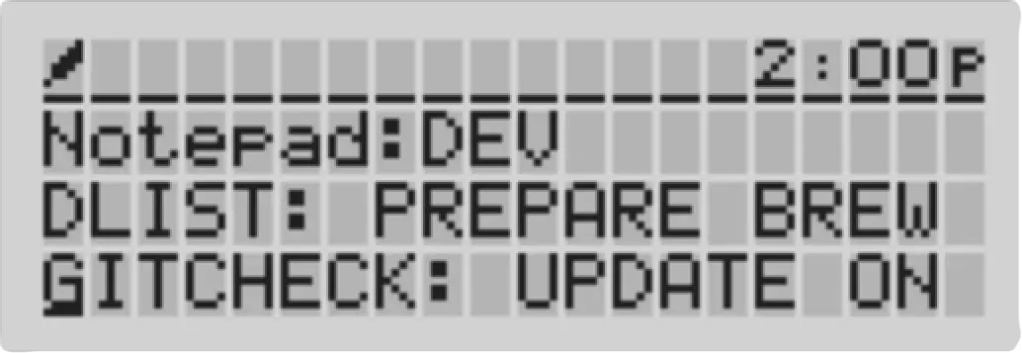
The alarm to wake me for my early Cambridge train is cheerfully old-school piezo chiptune, but it does the job.
The biggest issue I’m having with the LZ64’s functionality is with the diary, which has no concept of day-long appointments, insists entries can only start and end at 15-minute intervals, and won’t let you place entries that span the times allotted to existing ones or extend from one day into another. To be fair, it took modern calendar apps a long time to introduce these scheduling subtleties, and the Organiser is very much about ‘what I am doing’ rather than ‘what might I be doing’. Still, it’s a hindrance to using it exclusively as my time manager.
But I like the day-by-day display of the diary on the wee LCD. Day and date are listed along the top and below each is segmented into four periods (which you can specify). Bold blocks mark entries in your diary; move the cursor alongside and hit the EXE key to view what it’s for. This drops you into day view, a vertical list of <free> times and appointments.
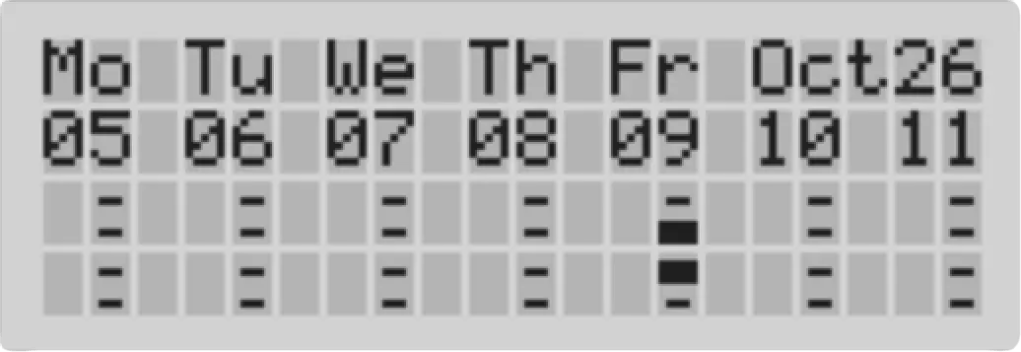
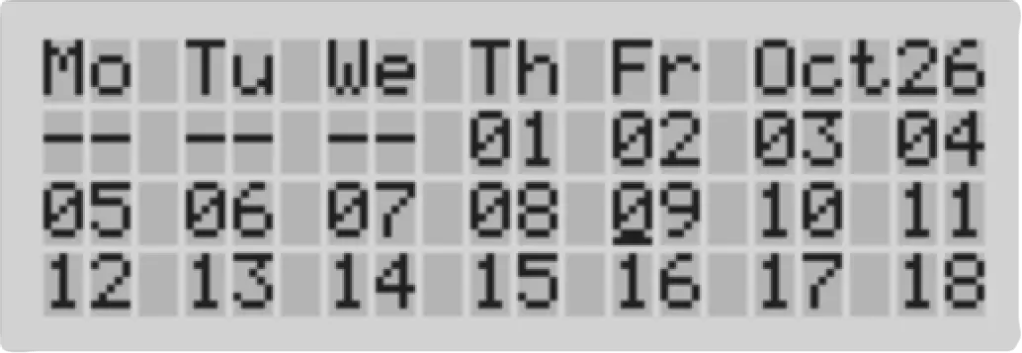
These diary quirks emerged with time and usage. Initially, my main problem was with the non-Qwerty keypad and its limited array of symbols. However, I have grown accustomed to it. It’s not fully in my muscle memory yet, but it’s getting there. I’m much less ’where’s that ??#@#?!!! key’ now than I was.
Another bugbear is the paucity of accessible keypad symbols. Want to enter a question mark? Forget it—it’s not present. Programmers can display one using CHR$(63), but there’s no way to key it in. Yet you can type greater-than and less-than symbols, which I kind of feel are less useful to the general user than a question mark. Ditto having a $ but no £. Now, I can see the need for the former if you’re keying string variables into a program, but coders were not the target audience, surely?
Some capabilities though have only come to be seen to be vital during the intervening years. You can’t copy and paste arbitrary text in the Organiser II, and that’s really annoying, but I’d probably not have thought it an omission at the time, only with hindsight.
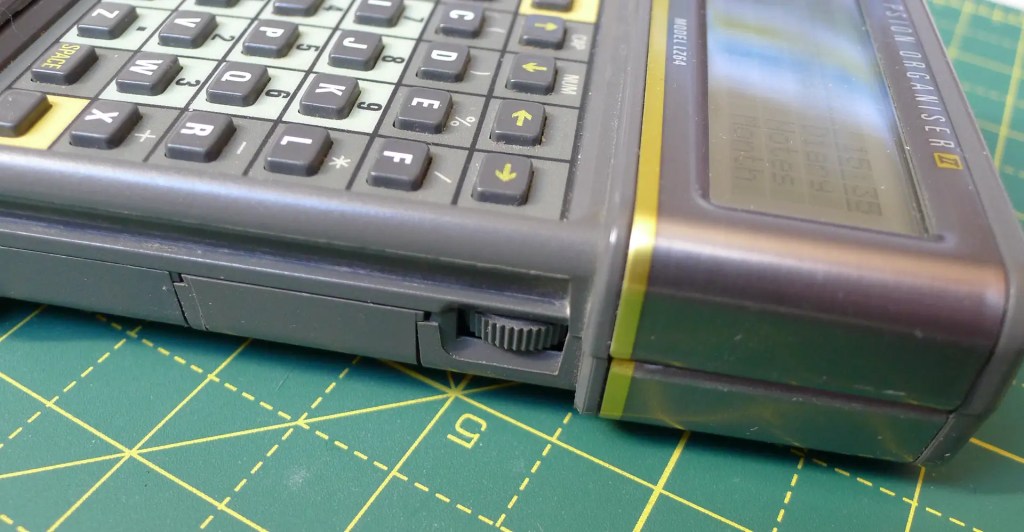
That being said, the LCD is always going to be hard to read in anything but the sharpest of lighting. There’s a contrast adjustment wheel on the side but that’ll only take you so far, and there’s no backlight. I do find myself peering at it close up over the top of my specs. 60 year old eyes, eh?
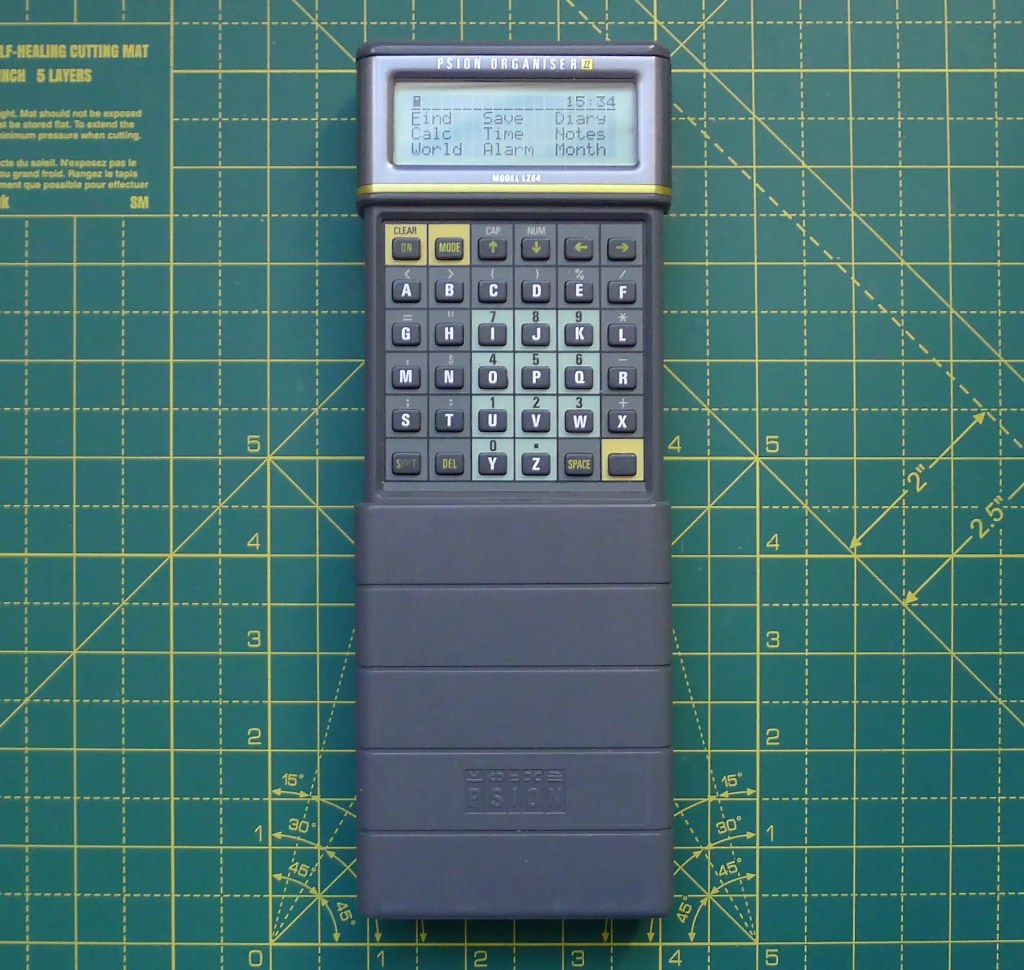
The Organiser’s keypad is protected from bum-dials by a slide-over case which leaves the screen uncovered and therefore unprotected, but looks good. Was the original idea to allow information to be viewed without exposing the entire keypad? Maybe, but as it stands, you have to remove the cover to access the device’s on button.
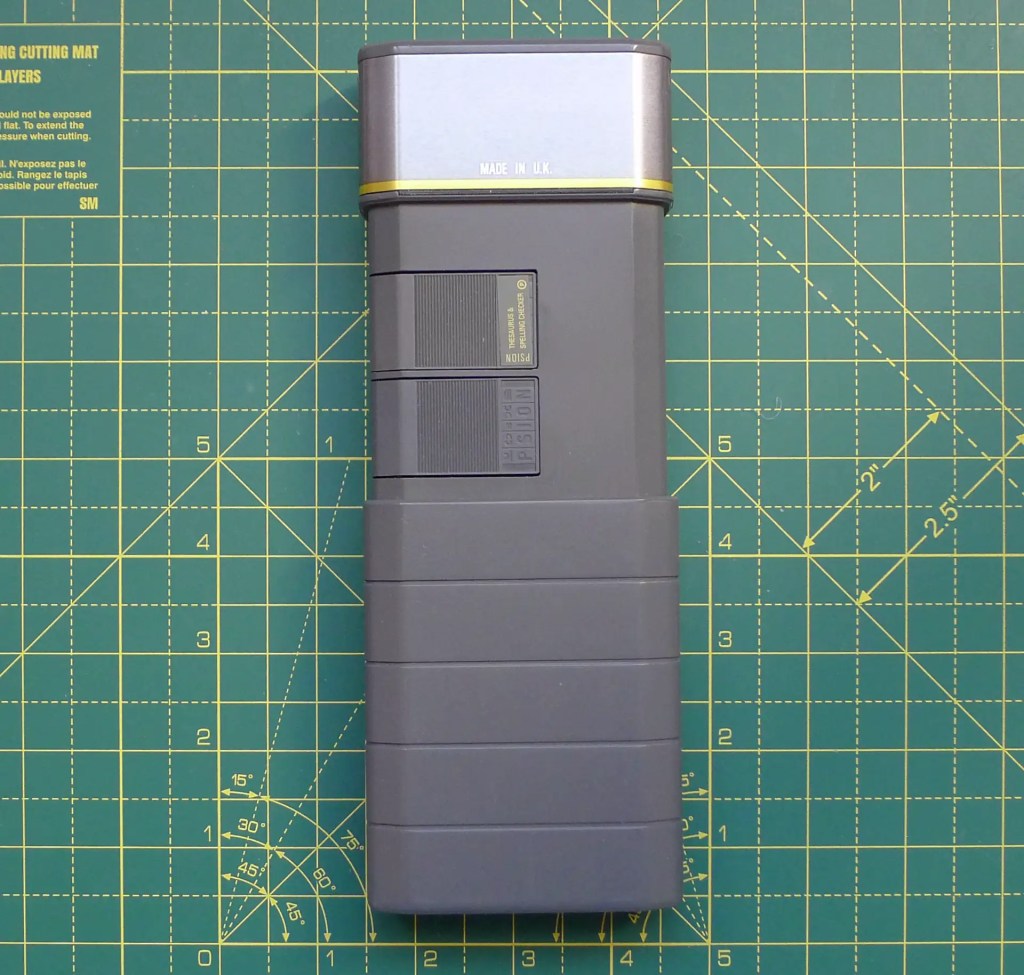
The cover also reveals the Organiser’s two expansion slots. I received a thesaurus and spelling checker with my LZ64, and there are a wide variety of apps and battery-backed RAM packs for storage that you can still pick up online. I’ll not bother—I can’t see myself entering large amounts of text or data into the LZ64 as I do into my Series 3 and 5 machines, which I use as portable word processors. Long-form writing on the Organiser is pure self-harm.
That includes entering code in the form of OPL—Organiser Programming Language, a surprisingly advanced form of Basic that’s compiled before running to bytecode for performance. I’d like to add some functionality to the LZ64, and it’s great that this is possible to do out of the box. But it’s not a pleasant task to perform on a four-line LCD. Imagine trying to do it on the two- or single-line versions…
Still, needs must when the Devil drives, and so I’m going to find some useful OPL programs to key in.
Incidentally, Psion did give some thought to mitigating the limitations of the keypad. For example, you can open any option on the main and sub-menus with a single tap of the item’s first letter (‘D’ for diary, ‘N’ or notes, etc.). Within a function, pressing the Mode key pops up a menu of options at the top of the screen. Again, tapping the key for the first letter of an option’s name takes you straight there, even for options that have scrolled off the side of the display. Or you cycle through them with the cursor keys.
A nice touch: the main menu is entirely customisable. Add notes files you’ve created, OPL programs or database files and you can likewise jump straight to them. You’re even allowed to remove the default apps (and put them back again if you regret the change). Well, possibly. You can delete, say, the Find (database record), Save (database record) and Calc (ulator) entries, but it’s unclear how you put them back.
Another plus point is the Organiser’s address book, which is in fact a freeform flatfile database. This makes it very good for storing all kinds of information, and is a cure for all those personal information management tools the shoehorn your addresses into a rigid framework of fields which, inevitably, don’t suit specific cases. I’m regularly peeved that even modern web software insists I include a county or region as part of my address, which lacks either of these. Psion solved this almost 40 years ago, simply by allowing users to enter addresses and phone numbers however they wanted to. Easy. I’m not using the database for addresses—they’re definitely best left on my commmunications device—but it is useful as a card index replacement.
One obvious question, especially if you’ve used other Psions, is where does the back-up battery go? Answer: it doesn’t, because the Organiser doesn’t have one. Instead it reserves the last iota of juice in the 9V battery to charge up a capacitor that keeps the SRAM memory powered while you whip out the dead battery and quickly shove in a new one. As long as you don’t take too long and you don’t turn the device on, your data will be preserved.
I have not yet reached that point, so I can’t say how well this works, but I recall that I performed this with my original unit without complaint. Still, it’s telling that Psion didn’t use the same approach with the Series 3, choosing instead to incorporate a back-up coin cell into the design.
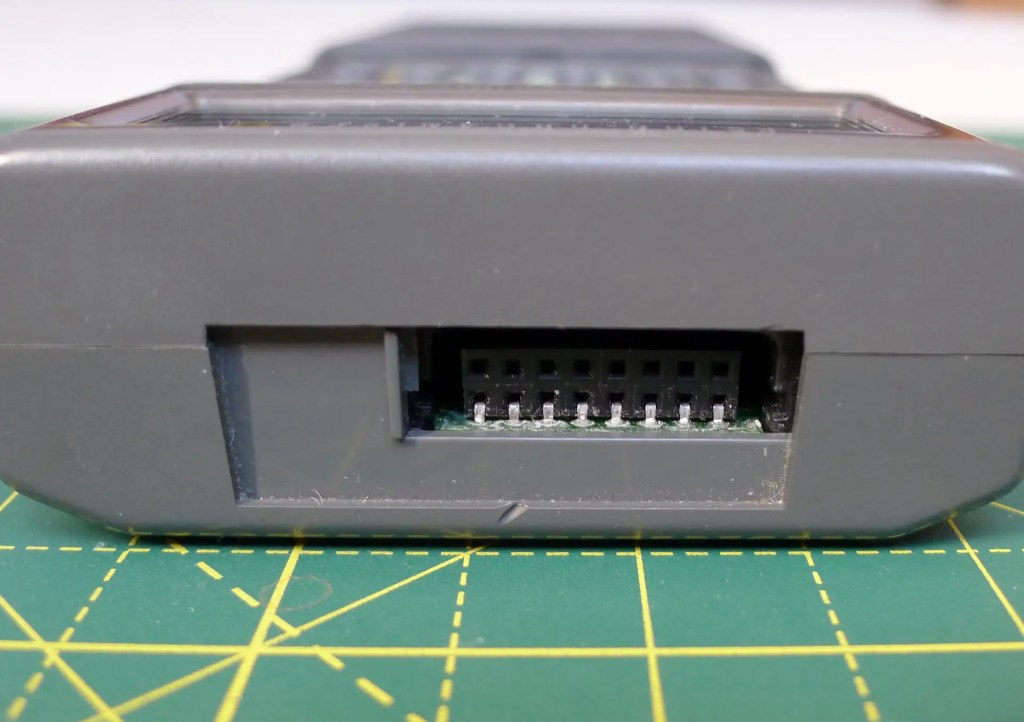
The Organiser does have scope for comms. There’s a third expansion port behind a sliding hatch in the top of the unit. This can take an RS232 adaptor, called the Comms Link, for backing up data to a PC. It also allowed the Organiser to talk to app-specific add-ons which in turn enabled Psion to sell the Organiser successfully into lucrative enterprise vertical markets as a portable data gatherer or testing tool.
I mentioned before that the Organiser is chunky. Thick it may be but there’s a lot of empty space inside. This is long before precision-built, no volume wasted devices like the iPod let alone the iPhone. The unit’s size is determined by the battery and the display, but even with these elements it could clearly have been made more compact than it was. But I like the look and feel of it. The metal plating around and behind the display looks smart.
So, the Organiser II is frustrating at times, but I am enjoying using it, to the extent that I’ve started taking it with me when I’m out-something I rarely do with my other Psions unless I have writing to do. There’s something deliciously un-phone and un-computer about the Organiser that appeals to me at the moment. Even the 3a feels like a (very tiny) laptop.
But, let’s be frank, the Organiser is more bulky and massively less useful than my phone. Yet when it shipped, phones were bricks, laptops were hugely expensive luxuries with 8-inch monochrome displays, and personal computers had become great metal boxes. Then, the Organiser seemed miraculous. No longer, but I love it.
And no one can use it to spy on my movements and activities.

