In the mid-1980s, I loved Phantom Slayer. Written for the Tandy Color Computer and made available for the Dragon 32, Phantom Slayer was a 3D maze shooter. Think a very basic version of Doom with colours but no textures. It wasn’t sophisticated, but it was quick and, more to the point, incredibly atmospheric.
Continue readingHail to the Acorn Atom, the Pi Pico predecessor from 1980
If the Raspberry Pi is the BBC Micro de nos jours then the Pi Pico is perhaps the spiritual successor to that earlier Acorn micro: the Atom. So in homage to that ground-breaking pre-Beeb cased computer, here’s the latest offering from Smittytone’s Retro T-Shirt Store.

Fontismo updated: more fab fonts for iOS folk
A new version of Fontismo, my iOS app that lets you install a selection of fonts on your iPhone or iPad, is now available.

Play Hunt the Wumpus, Raspberry Pi Pico style
Here’s something a little different: a basic C project that you can follow to build a fun handheld game with a Raspberry Pi Pico. Your mission: to enter a dark cave, and then locate and destroy the monstrous Wumpus.
Continue readingHow to share preferences between macOS/iOS apps
A couple of macOS releases or so ago, Apple introduced app extensions: self-contained modules that are bundled within apps to deliver functionality to the wider operating system. But how do apps and their extensions share information between themselves, in particular users’ preferences?
Continue readingHow to migrate to native Homebrew on an M1 Mac
Let the great Homebrew migration begin. Yes, Homebrew now has native support for Apple’s ARM64-based M1 chip. The latest version, 3.0.0, released 5 February, will run nicely on your Apple Silicon Mac. There’s a catch, of course. Well, several catches: first, not all of the tools you can install using Homebrew are M1 native yet and, second, Homebrew doesn’t offer explicit migration instructions, that I could find at least.
Continue readingHow to debug a Raspberry Pi Pico with a Mac, SWD and… another Pico
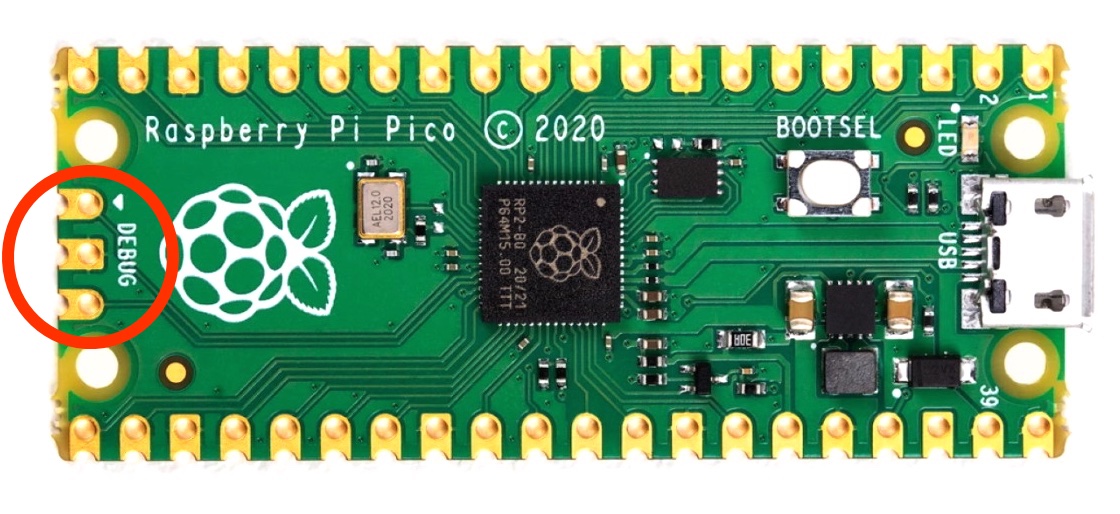
When you’ve used Serial Wire Debug (SWD) to help you correct the C or C++ code running on your Raspberry Pi Pico, you’ll never want to go back to USB and the UF2 file system again. I don’t — no more messing about unplugging and re-plugging cables for me.
Continue readingHow to program the Raspberry Pi Pico in C on a Mac
Last week I tried the Raspberry Pi Pico with MicroPython. The Raspberry Pi Foundation would be sufficiently commended for providing only this level of programming support. MicroPython leverages the Python skills of the many Raspberry Pi users out there and is accessible to plenty of others too. But the Foundation has also provided a C/C++ SDK, and this opens the Pico up to serious embedded-system developers too.
Continue readingA first look at a MicroPython marvel: the Raspberry Pi Pico, in partnership with a Mac
On Thursday morning I awoke to the news that the Raspberry Pi people have entered the microcontroller board market with a new product, the Raspberry Pi Pico. Before I’d even got out of bed, I ordered a couple. Well, at £3.60 a pop, why not? I’ve now had a chance for a quick play, and here are my findings.
Continue readingOi, app makers, no! Enough Markdown monkey business!
PreviewMarkdown, my modern QuickLook plug-in for Markdown files, was recently updated to version 1.1.4. It was a minor change, which is why it wasn’t announced here, but the reason for the update may interest to anyone keen to understand the workings of macOS. It also highlights some inconsiderate behaviour on the part of some Mac software developers.
Continue reading