Author Archives: smittytone

Unknown's avatar

About smittytone

Tech Author and Writer

Retro LCD screen illumination: no backlight? Try a frontlight

I have written before about the Psion 5mx, a palmtop computer from the late 1990s, and I have grumbled about its LCD screen. I don’t have a problem with LCD per se — you can’t expect the same screen quality that you get with a modern colour OLED retina display — but in the right light conditions an LCD can be perfectly usable. However, the 5mx screen’s specific level of reflectivity narrows the range of lighting conditions under which it gives you a good, clear view.
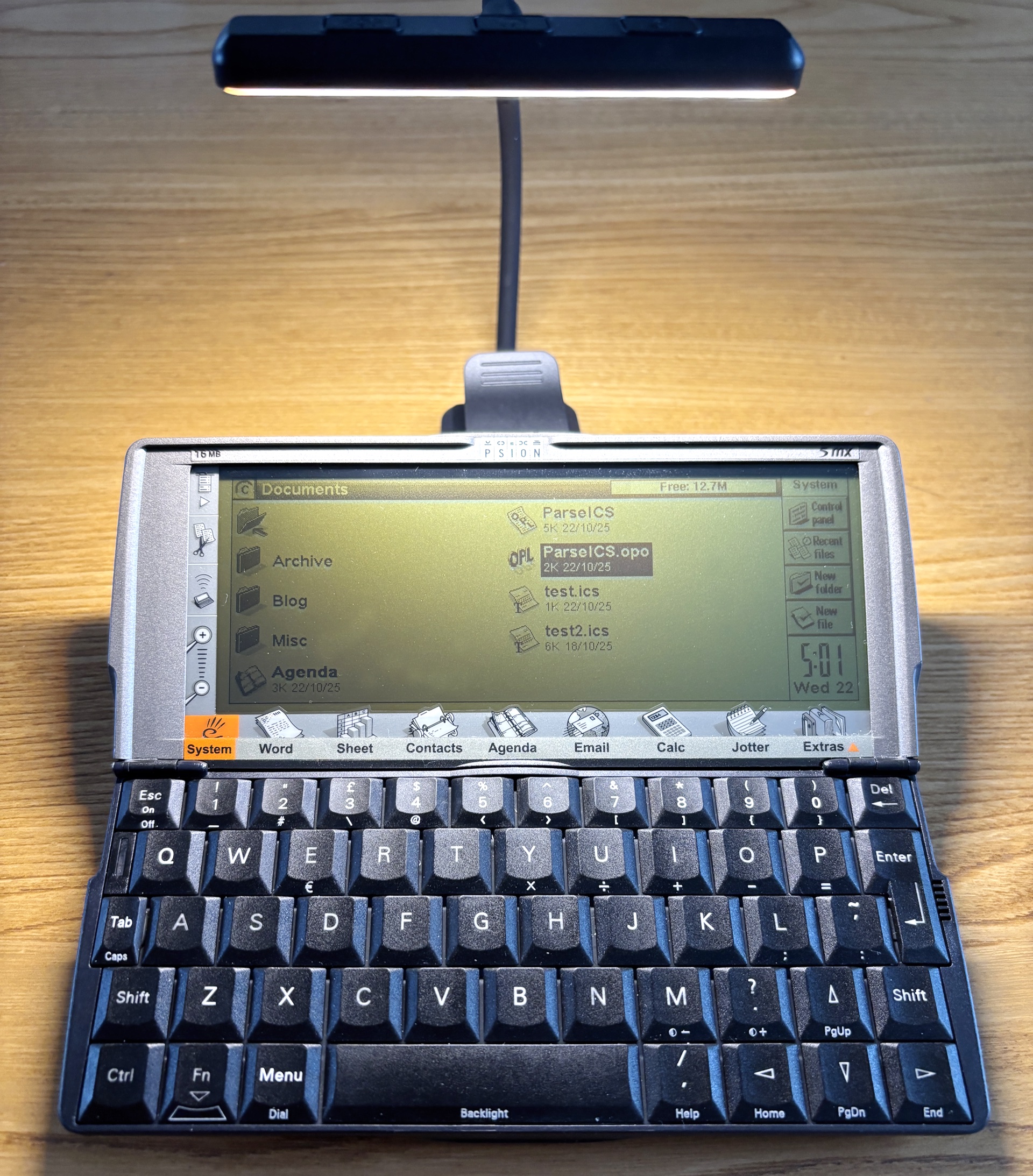
Illuminating your retro tech. Image © 2025, Tony Smith (@smittytone). All rights reserved

What’s odd about this is that the 5mx’s predecessor but one, the 3a, has a really good LCD screen which provides a clear view over a wider range of lighting conditions.

Continue reading
Amazing analogue: vernier callipers

This short post is in praise of analogue technology, specifically my Mitutoyo vernier callipers, which I picked up a couple of years ago for no good reason beyond fond memories of time spent in Physics labs during my undergraduate days.

Vernier callipers. Image © 2025, Tony Smith (@smittytone). All rights reserved.

Even so it has had, and continues to get, a fair bit of use.

Best of all, it requires no power source and needs no consumables. Indeed it expects nothing extra beyond its own good self. Of stainless steel construction, it will last me out and will never cost me a penny more to operate than I paid for it.

Continue reading

The most essential Amstrad NC100 accessory? It’s got to be a memory card

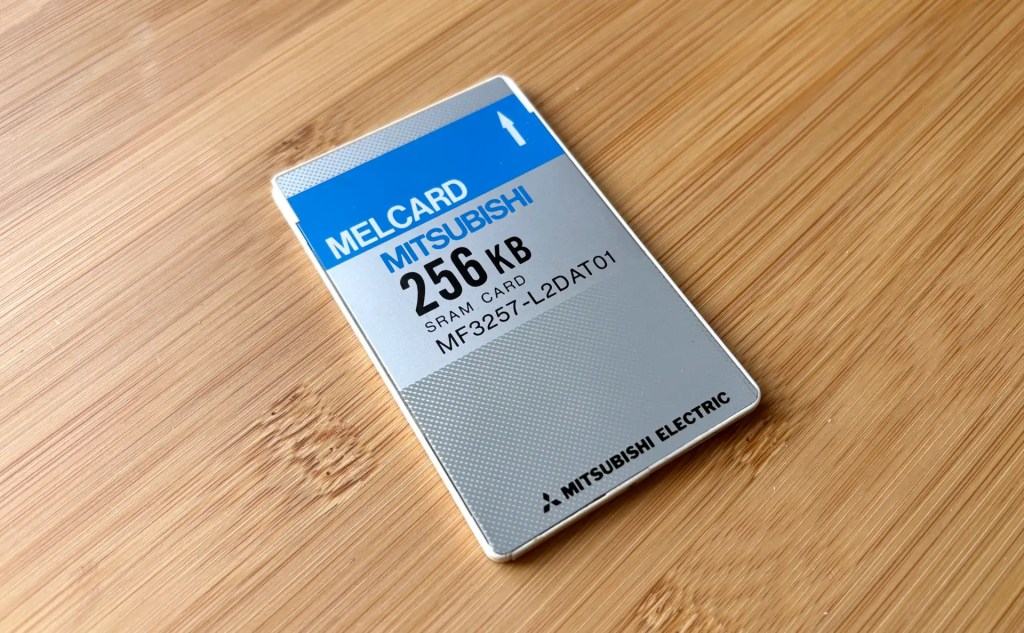
I was resisting buying a memory card for my Amstrad NC100, but in the end I caved in. It was mostly because I have memory cards for my two Psion devices — a proprietary flash drive for the Series 3a and a CompactFlash card for the Series 5mx — because it’s reassuring to know that you can quickly make safe copies of working docs on a device without storage.

An NC100-compatible 256KB PC card. image copyright 2025 tony smith. all rights reserved

This I couldn’t do on the NC100 because it’s rather more limited in the type of cards it supports. Basically, you’re talking 64KB to 1MB SRAM cards in the PCMCIA/PC Card form-factor only.

Continue reading

How to fix Amstrad NC100 coin cell voltage warnings… with paper

Here’s a handy trick for any of you who, like me, have not only taken to retro computing in general but the Amstrad NC100 notepad in particular.

NC100 lithium battery warning

I was frequently being told that the machine’s back-up CR2032 coin cell was running low. This despite it being installed fresh out of the packet, and not long enough ago for me to expect such warnings.

Continue reading

How to bring Amstrad NC100 screenshots to modern graphics apps

While browsing some scans of old, out-of-print books about the Amstrad NC100, I discovered that it has a built-in screenshot facility. I knew my various Psion devices could do this, but not the NC100.

NC100 screenshot BBC Basic

The trick — press ControlShiftS — was mentioned in Robin Nixon’s The Amstrad Advanced User Guide, published in 1993 by Sigma Press. The book contained BBC Basic and C utilities for converting the raw bitmap data generated by the keypress.
I immediately keyed in the C code to try it out. It did the job.

Typing in a listing! What an old-school feeling!

Continue reading

PreviewCode 2 brings a new UI and source code line numbers

PreviewCode provides at-a-glance highlighted source code previews of more than 60 programming and scripting languages, and development configuration file formats. It makes use of macOS’ QuickLook mechanism: select a file and hit the spacebar to get an immediate preview of the file’s contents. It’s a handy way to view a file without opening it in an application.

PreviewCode 2 main window

PreviewCode also generates Finder thumbnail icons for all of those file types if you prefer something other than generic icons.

Continue reading

CV as code: scripting to satisfy AI and (with any luck) human hirers

It was time to update my CV (resumé to North American readers) anyway, and I figured, why not just script the process? Over the many years of my professional life, my CV has existed as finely laid-out LocoScript, Microsoft Word, QuarkXPress, Adobe InDesign and ultimately Apple Pages documents all used as to create printed and, more recently, PDF copies of my Curriculum Vitae for distribution.

cv for bots

But the world has changed — boy has it changed — and now CVs need to appeal to AI scanners, not people. Register journalist Dominic Connor put me onto the case, noting that the old rules of one to two sides of A4 at most, and all the content summarised as tightly as possible to make it easy for tired hiring managers to glean what they need, have gone the way of the dinosaurs in these LLM-mediated times. So out goes a stylish CV typeset in a tasteful multi-column layout arranged to appeal to humans, and in comes one that’s plain but way better suited to online PDF parsers and bots.

Continue reading

Psion of the times: using a 90s palmtop in the 21st Century

OK, so it was one of those purchases you can’t help yourself from making. A random, unprompted visit to eBay and suddenly I was £170 down but up one Psion Series 5mx palmtop with all the trimmings. And in very good condition it all is too.

Psion Series 5mx. Image copyright 2025 Tony Smith (@smittytone) All rights reserved

The Series 5 debuted in 1998 as the follow-up to the Series 3 family. I already have a 3a, the same model that I used for time a time back in the day. The 5 was a major upgrade: an ARM processor in place of an x86, more RAM of course, but crucially a backlit, touch-sensitive screen (plus device-dockable stylus) and a deck of larger, less calculator-like keys. In addition, out went the Series 3’s proprietary memory card format and in came a CompactFlash slot (though only one, not two as before). Psion also adopted a new serial comms port that negated the need for the Series 3’s 3Link ‘soap on a rope’ cable, which converted the 3’s proprietary bus to RS232.

Continue reading

Primal Scheme: when Xcode settings vie with each other for supremacy

In interesting follow-up to last week’s post about the Xcode build system. This week, while updating another of my macOS CLI utilities, I found my new build script was breaking. Why? It was attempting to create a macOS universal binary out of what I thought were two separate ARM64 and x86_64 builds but were in fact both… er… universal binaries.

About xcode

This occurred with pdfmaker. The script was changed based on my experience building utitool and dlist. What might account for the difference? Comparing the architecture-related entries in the Xcode Build Settings for pdfmaker and dlist showed no differences at all. Both utilities’ project files are to Xcode 16.0 specification too.

Continue reading

Swift Fighting Man: How to duke it out with the Xcode build process and Win!

Today was going to be about so much else, but instead I found myself mêléeing with Apple’s build system.

I have a script I’ve been using very successfully for some years that automates the build process for my CLI apps. It builds a universal binary containing both ARM64 and x86-64 code, wraps it into a macOS installer package and submits the result to Apple’s notarisation service. One command in Terminal and it’s all done, or occasionally you get an error message.

Continue reading